Full Lobby on Mobile
Every pokie, live table and sportsbook market available on desktop loads in the mobile app with no cut-down version.
App at Morospin in Australia: System Requirements
Add Morospin to your home screen for one-tap access to pokies, live tables and your account balance on Android or iOS.
The Casino in Your Pocket
Add Morospin to your home screen for one-tap access to pokies, live tables and your account balance on Android or iOS.
Play on Mobile Now Gambling can be addictive. Players must be 18 or over. Bonus terms and conditions apply.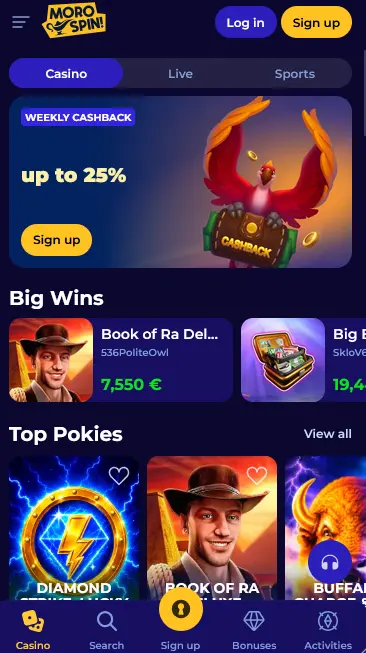
Morospin App Pros and Cons
Pros
Cons
Installation
Using the App Safely
What You Should Do
What You Should Avoid
App Features
Full Lobby on Mobile
Every pokie, live table and sportsbook market available on desktop loads in the mobile app with no cut-down version.
Fast Reconnect
Closing and reopening the app returns straight to the lobby with the account session still active, rather than a fresh login every time.
Same Account Protection
The app uses the same verified login and session checks as the browser site, so switching devices does not weaken account security.
Device Requirements
Android
iOS
The full pokies catalogue, including Book of Ra Deluxe, Buffalo: Charge & Win, Sugar Rush 1000, Diamond Strike: Lucky Reels, Lucky Trio Pots Hold and Win and Pink Clovers XXXL Hold and Win, loads in the app exactly as it does on desktop.
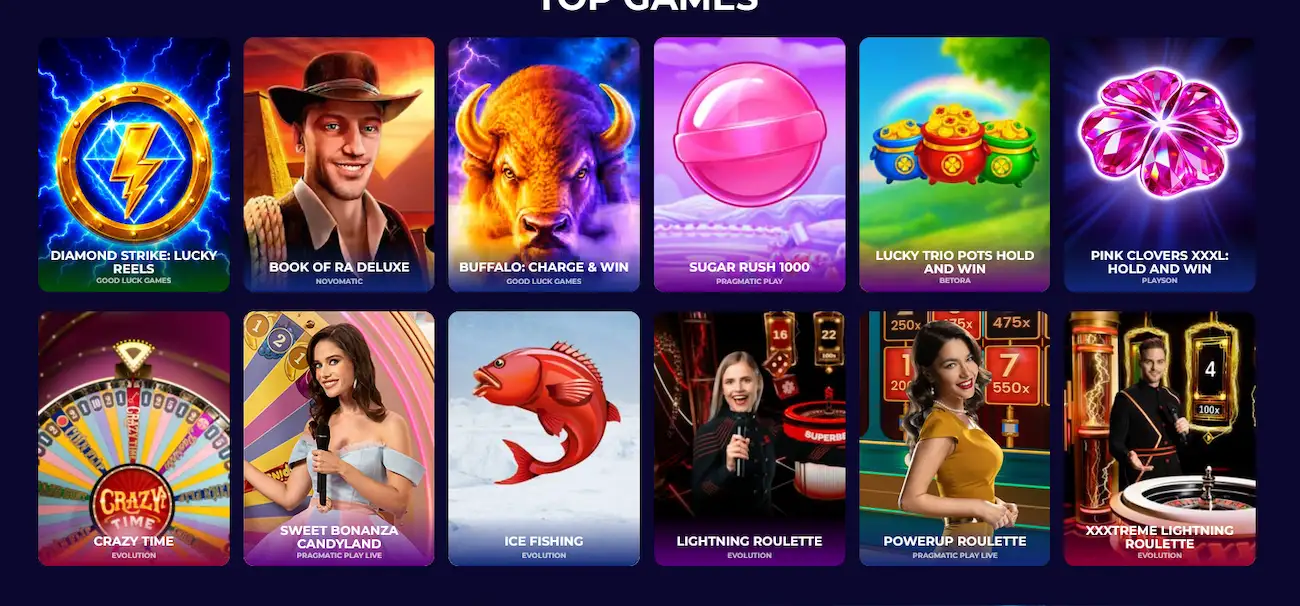
Evolution and Pragmatic Play Live tables, including Crazy Time, Sweet Bonanza CandyLand and Lightning Roulette, stream in the app at the same quality as the browser version, adjusted automatically for a smaller screen.
RNG table games and the pooled progressive jackpot pokies sit in their own tabs within the app navigation, matching the desktop lobby layout.
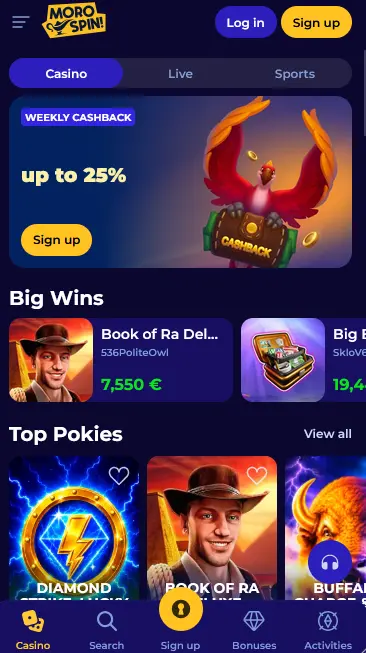
The app mirrors the desktop site’s navigation, with quick access icons for the casino lobby, search, active bonuses and account activity along the bottom edge for one-thumb use.
Beyond the home screen icon and full-screen display, there is no functional difference from the browser version. Balances, bonus progress and game history stay in sync automatically between the app and a desktop session.
On Android, opening morospinpokies.com in Chrome and selecting add to home screen from the browser menu installs the icon in under a minute, with no separate download file to manage.
On iOS, the same page opened in Safari offers an add to home screen option under the share menu, which creates an identical shortcut experience to the Android version.
Since Morospin has no listing on Google Play or the App Store, the home screen shortcut described above is the only installation path, and it updates automatically without a manual app store update.
The 100% welcome package up to $6,000 plus 150 free spins and 3 bonus rounds claims the same way in the app as on desktop, through the sign-up form reached from the app’s home screen. 18+.
Push-style banners inside the app surface time-limited offers such as the weekly cashback and daily tournament alongside the standard welcome package, without requiring a separate app-only account. 18+.
The app cashier accepts the same methods as the desktop site: Visa, Mastercard, Skrill, Neteller, Apple Pay, Google Pay, bank transfer and Bitcoin.
| Method | Deposit time | Withdrawal time |
|---|---|---|
| Visa / Mastercard | Instant | 1-3 days |
| Skrill / Neteller | Instant | Same day |
| Apple Pay / Google Pay | Instant | 1-3 days |
| Bitcoin | Instant | Under 24 hours |
| Bank transfer | 1-3 business days | 1-3 business days |
Card and wallet details entered in the app travel over the same SSL-encrypted connection as the browser cashier, and no payment details are stored unencrypted on the device itself.
Registration from the app uses the same short form as the browser: email, password, date of birth confirmation and acceptance of the terms and conditions and privacy policy.
Returning players sign in with the same credentials used on desktop. Full troubleshooting for a stuck login is covered on the Morospin login page, and the current welcome offer is detailed in full on the Morospin bonus page.
Live chat inside the app connects to the same support team as the browser site, with email backup at [email protected] for document-based requests such as verification.
Deposit limits, wager limits and self-exclusion set from a desktop session apply immediately in the app as well, since both run against the same account settings.
Morospin App Questions
No, Morospin runs as a mobile web app added to the home screen rather than a listing on Google Play or the App Store.
Yes, since installation happens through the mobile browser rather than an app store, no Google Play or App Store account is needed.
Updates happen automatically in the background whenever the app is opened with a connection, so there is no manual update step.
The app supports Android 8.0 and later with a Chromium-based browser, and iOS 13 and later using Safari.
Take Morospin With You
Grab 100% up to $6,000 and 150 free spins.
Get My Bonus Gambling can be addictive. Players must be 18 or over. Bonus terms and conditions apply.